
Smart tool features are no longer just about adding Bluetooth to a drill or putting an app beside a battery. For homeowners planning repairs, remodels, garage upgrades, or outdoor maintenance in 2026, the more useful question is whether a tool feature reduces mistakes, improves safety, saves setup time, or helps one purchase work across several projects.
That is the practical reading of Ronix Mag’s 2026 tool trend analysis, which points to cordless platforms being sold as broader systems with shared batteries, chargers, accessories, lighting, and storage rather than isolated tools Ronix tool trends. For a homeowner, that shift matters because most DIY budgets are not built around buying a separate battery, charger, and storage setup for every task.
The caution is equally clear: not every connected feature is worth paying for. App alerts, usage records, torque data, and battery status can be genuinely useful, but only if they match the project. A smart torque wrench may help with repeatable fastening work, while a connected drill may add little value for someone hanging shelves twice a year. The best purchases start with the work, not the marketing label.
Smart Tool Features That Actually Support Home Projects
Which Smart Tool Features Are Worth Paying For?
The most defensible smart tool features are the ones that improve accuracy, safety, or decision-making. Ronix Mag identifies examples such as smart torque wrenches that record torque data, cordless power tools with app alerts for battery status, overheating warnings, and usage history. Those functions are most useful on projects where repeatability matters or where a missed warning can damage material, slow the work, or shorten tool life.
For typical homeowners, battery alerts may be more useful than advanced data logging. A low-battery warning before cutting trim, drilling masonry, or assembling cabinets can prevent mid-task stoppages. Overheating alerts can also help users step back before pushing a cordless tool beyond its comfortable operating range. That does not make a connected tool safer by itself. Users still need eye protection, dust control, proper work support, and the manufacturer’s instructions.
Where App Controls Can Become Clutter
Connected controls are less convincing when they add setup time without solving a known problem. If a homeowner has to pair an app, update firmware, sort through menus, and manage notifications just to drive screws into softwood, the feature may be a distraction. A clear clutch setting, good lighting, balanced grip, and predictable trigger response may deliver more value than a dashboard full of seldom-used data.
That is why I would treat app support as a secondary buying factor unless the tool performs a task where records, alerts, or repeatable settings matter. For broader context on balancing connected functions against project fit, our related piece on practical smart tools takes the same safety-first approach.
Cordless Platforms Are Becoming Household Work Systems
Battery Sharing Can Lower Friction
Ronix Mag’s point about cordless systems is especially relevant for homeowners who maintain both indoor and outdoor spaces. One battery platform can support a drill, driver, work light, compact saw, inflator, or garden tool, depending on the brand and lineup. The practical benefit is not just fewer chargers on a bench. It is less decision fatigue before a weekend project and less money tied up in duplicate batteries.
This is also where compact tools gain appeal. Ronix Mag notes interest in compact drills, short-body impact drivers, mini saws, and smaller grinders for tight spaces and mobile work. In a home setting, that can mean working inside cabinets, above shoulder height, between joists, or around built-ins. A lighter tool with good balance may reduce fatigue, but homeowners should avoid using compact size as an excuse to work from unstable positions. Ladder work, overhead cutting, and any task near wiring, plumbing, gas lines, or structural components may require a qualified professional.
Outdoor Tools Need The Same Battery Logic
Outdoor living and yard upkeep are also shaping tool choices. Ronix Mag mentions smarter garden tools, including robotic mowers with advanced navigation, battery compatibility, lower noise, safety features, and reduced maintenance needs. The homeowner question is not whether a robotic mower sounds modern. It is whether the yard layout, boundary conditions, storage location, and maintenance expectations fit the product.
Managing multiple properties, such as a vacation home, can benefit from fewer battery systems. For owners maintaining vacation homes, rental cottages, or seasonal properties, fewer battery systems can be especially helpful because tools may be stored away from the main residence. Readers comparing project priorities for those spaces may also find related home-improvement ideas at Weekender Villas. The same buying rule applies: choose the platform that matches repeated work, not the tool that has the longest feature list.
Safety And Ergonomics Should Rank Above Connectivity
Comfort Is A Performance Feature
Ronix Mag treats ergonomics and safety as primary purchase criteria for 2026, including vibration control, grip design, tool weight, balance, guards, visibility, and restart protection. That is the right order for DIY users. A connected notification is not much help if the tool is too heavy to control, hard to see around, or tiring after a few minutes.
Before paying extra for smart electronics, homeowners should handle the tool if possible. Check whether the grip fits your hand, whether the battery makes it nose-heavy or rear-heavy, and whether built-in lighting actually illuminates the work surface. For saws and grinders, guards and visibility deserve close attention. Do not bypass guards or modify safety systems to make a tool feel more convenient. If a project requires removing safety equipment to reach the cut, the project plan is probably wrong.
Connected Homes Raise The Bar For Planning
The broader smart-home trend also affects tool decisions. HousingWire reported on May 11, 2026, that two-thirds of homeowners said they wanted a connected home HousingWire reported. That interest can push homeowners toward smart locks, doorbells, cameras, access control, and monitoring systems during renovations.
Tools used around those projects should be chosen carefully. Drilling for cameras, routing low-voltage wiring, mounting access hardware, and modifying door frames can look simple, but mistakes may affect security, weather sealing, wiring, or code compliance. Homeowners can often handle basic mounting and setup after reading product instructions, but electrical work, structural changes, exterior penetrations, and security system integration are better handled by qualified professionals.
How To Choose Smart Tools Without Buying Hype
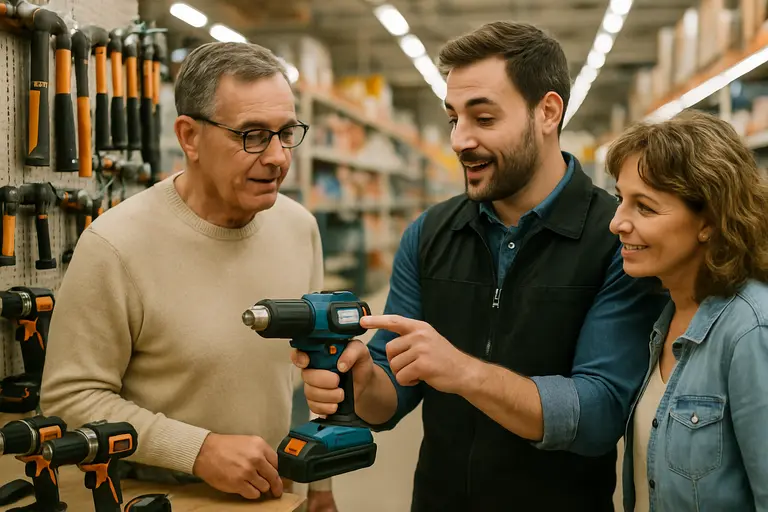
A cautious buying process keeps the feature list under control. Start with the next three projects you are likely to complete, not a broad wish list. A homeowner repairing fencing, assembling storage, and maintaining a deck may benefit from a shared battery drill-driver, impact driver, work light, and outdoor-compatible platform. A homeowner updating cabinet hardware may need a comfortable drill, accurate bits, and good lighting more than advanced app records.
- Start with safety: prioritize guards, restart protection, visibility, vibration control, and stable handling.
- Check battery strategy: favor shared batteries and chargers if the platform covers your real indoor and outdoor tasks.
- Match data to the job: torque records, overheating alerts, and usage history are useful only if the work benefits from them.
- Value compact size carefully: smaller tools help in tight areas, but do not make risky positions safe.
- Plan for professional help: hire qualified tradespeople for electrical, gas, plumbing, structural, roofing, and major exterior work.
Cost also deserves discipline. A smart-enabled kit can be reasonable if it prevents duplicate chargers, reduces downtime, and supports several projects. It is harder to justify when the connected feature is isolated to one tool used rarely. Replacement batteries, storage, accessory availability, warranty terms, and repair options should all be part of the comparison.
Smart Tool Features Buying Checklist
Smart tool features deserve attention in 2026, but they should not outrank fit, safety, and long-term platform value. Ronix Mag’s trend picture points toward cordless systems, compact form factors, better ergonomics, connected alerts, and smarter outdoor equipment. Those are practical developments when they help homeowners work more accurately and avoid avoidable interruptions.
The strongest purchase is usually the least dramatic one: a tool that feels controlled in the hand, shares batteries with equipment you already use, offers clear safety protections, and includes connected functions only where they support the task. If a feature cannot explain its value on your next project, it may not be worth paying for yet.