
Tool Compatibility is becoming a practical buying filter in 2026, not just a software concern. The strongest data in the research comes from AI-agent and integration reports, not from cordless-tool makers, so buyers should treat the trend carefully: connected tools, apps, batteries, cloud accounts, and AI planning features are becoming more dependent on the systems around them.
For DIYers, remodelers, and renters, that shift matters because smart tools rarely stand alone. A laser measure may feed an app, a battery platform may lock in future purchases, and a project-planning assistant may depend on outside integrations. The buying question is less about whether a tool looks advanced and more about whether it will still fit the way you work after the first project.
Why Tool Compatibility Is A 2026 Buying Filter
The clearest signal from the research is the rise of tools that need other tools to be useful. Paragon reported that, in 2026, 81% of B2B SaaS firms had shipped or were actively building AI agents that act through integrations, compared with 25% in 2025; it also found that more than 93% of those agents require three or more integrations to be useful, while 49% use six or more tools in one workflow, according to Paragon’s 2026 report. That is software data, but it has a useful lesson for smart-tool buyers: the more a product promises automation, the more its value may depend on the connections around it.
Why The Software Signal Matters For Tools
Smart-tool makers do not operate in a vacuum. Their apps often connect to cloud accounts, asset tracking, measurement records, project notes, or service platforms. If those connections are unreliable, discontinued, or too limited, the tool can still function mechanically, but its smart features may lose value.
This is why a cautious buyer should ask what happens if the app is no longer supported, if a phone operating system changes, or if a battery platform is no longer the best fit. A drill, saw, or laser level should first do the core job well. Any AI planning, app logging, or connected feature should be treated as a useful extra unless the manufacturer clearly supports it for the long term.
What The Data Does Not Prove
The research does not prove that every smart tool in a garage or workshop will need six integrations. It also does not give brand-by-brand failure rates for tool apps, battery platforms, or jobsite software. That gap matters. Buyers should avoid reading enterprise AI statistics as a direct forecast for a specific cordless-tool system.
Still, the trend points in a reasonable direction: connected products are becoming more dependent on outside systems. That makes pre-purchase checks more valuable, especially for homeowners planning several projects over multiple years.
AI Integration Data And Smart Tool Reality
The scale of the AI tool market also shows why compatibility claims can be hard to judge. As of September 18, 2026, the ecosystem tracked in the research included 584,460 tools across MCP servers, AI skills, and autonomous agents, according to Skillful.sh’s ecosystem report. A market that large can produce useful options, but it also creates noise for nontechnical buyers.
Connected Features Need A Reason
A smart feature should solve a real project problem. For a DIY remodel, useful examples might include saved measurements, tool-location alerts, cut-list planning, maintenance reminders, or battery status visibility. Less useful features are those that require another subscription, another account, or another app without reducing errors, setup time, or rework.
Before buying, write down the tasks the connected feature is supposed to improve. If the feature only sounds impressive in a product listing, wait for tested reviews, manufacturer documentation, or a clear return policy. That is especially wise for renters and occasional DIYers who may not use enough projects to recover the cost of a premium platform.
Reliability And Security Should Carry Weight
Paragon’s findings also identified reliability and security as blockers for agent deployment in business settings. That does not mean a connected stud finder or measuring app carries enterprise-level risk, but it does support a cautious habit: read the account, update, and data-sharing requirements before purchase.
For home users, the practical questions are simple. Does the tool work without an account? Are updates required for core operation? Can project data be exported? Is two-factor authentication available for cloud accounts? Does the brand state how long it supports the app? If the answers are vague, the tool may still be worth buying, but the smart features should not be the main reason.
Ecosystem Checks Before You Buy
A good ecosystem can reduce duplicate purchases. A weak one can trap you with batteries, chargers, accessories, and apps that do not fit future work. That is why buyers should compare platform depth before chasing one heavily promoted tool.
Tool Compatibility Questions For Apps And Batteries
Treat Tool Compatibility as a checklist, not a slogan. For battery-powered equipment, confirm which packs fit which tools, whether higher-capacity batteries change balance or handling, and whether chargers support the packs you expect to own. For connected tools, confirm whether the app works on your phone, whether offline use is possible, and whether exported data can move into other project files.
Accessory fit is just as important. Blades, sanding pads, dust ports, tracks, bits, and storage systems can add real cost if a platform is too narrow. A tool that is cheap on day one may cost more if it forces special accessories for common work.
- Check battery, charger, and accessory fit before comparing sale prices.
- Look for clear manufacturer documentation, not only retailer claims.
- Favor tools that still perform their core job if the app is unavailable.
- Avoid buying into a platform for one feature unless future projects also fit it.
Security And Service Support
Smart tools also bring support questions. Firmware updates, app permissions, cloud accounts, and warranty service can affect long-term value. If a manufacturer makes it hard to find manuals, update policies, or service terms, that is a signal to slow down.
For a deeper buyer-side framework, the related High Pro Tools piece on tool ecosystem compatibility is a useful next read because it separates battery, app, repair, and project-fit concerns. For broader home project context outside tools, J. Siemering Homes offers valuable planning perspective within the same network.
Where Tool Compatibility Affects Home Projects
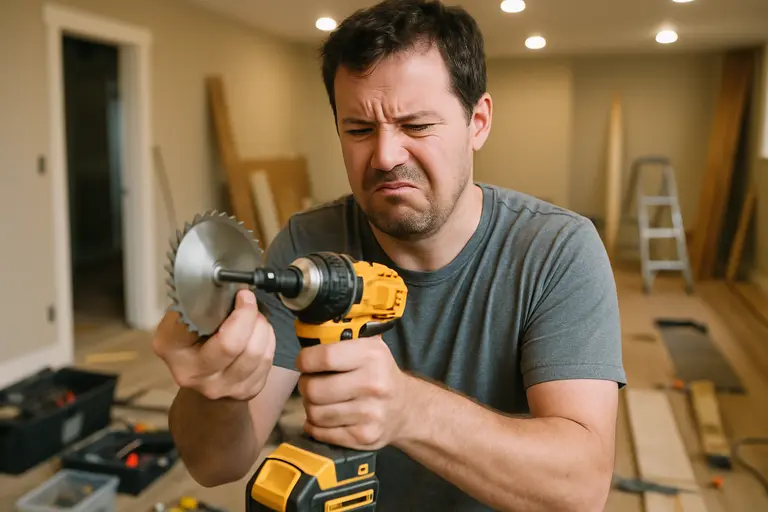
For homeowners, Tool Compatibility shows up most clearly during remodel planning. A measuring tool that exports dimensions cleanly, a dust extractor that fits your sander, or a battery platform that covers both indoor and outdoor tasks can reduce friction. But compatibility should serve the project, not drive unnecessary purchases.
Planning Remodels Without Overbuying
Start with the work you will actually do. Painting, shelving, furniture assembly, garden structures, cabinet hardware, and basic repairs may justify a smaller tool set with shared batteries. Larger remodels may require rental equipment or a contractor rather than a bigger smart-tool spend.
Cost recovery should be viewed carefully. The research provided here does not include remodeling return-on-investment figures, so it would be unsafe to claim that a smart-tool ecosystem will raise resale value. A more practical standard is whether the tools reduce mistakes, improve finish quality, or make routine maintenance easier for the person using them.
Knowing When A Pro Should Take Over
Connected tools can help with planning, measurement, and documentation, but they do not make high-risk work safe for unqualified users. Electrical service changes, gas work, structural alterations, major plumbing changes, roof work, and tasks requiring code interpretation should be handled by qualified professionals. Local permits and inspections may also apply, and homeowners should verify requirements with the relevant local authority before work starts.
The safest use of smart-tool tech is support, not substitution. Use apps to organize measurements, photos, notes, and punch lists. Use qualified trades for work where a mistake can create fire, collapse, water damage, carbon monoxide risk, or personal injury.
Smart Tool Ecosystem Choices In 2026
The 2026 trend is not simply “more AI.” It is more dependency between tools, apps, accounts, data, and support systems. That can be useful when the pieces work together, but it raises the penalty for buying into the wrong platform.
A Practical Tool Compatibility Checklist
A cautious Tool Compatibility review should cover five areas: core performance, battery platform, accessory availability, app support, and data control. If a product fails the core-performance test, the connected features do not rescue it. If the battery and accessory system is narrow, future project costs may rise. If the app is required for basic use, the buyer carries more risk.
For most DIY buyers in 2026, the strongest choice is a tool that performs well offline, fits a platform with enough future depth, and uses connected features to reduce real project friction. AI-assisted planning may help organize work, but it should not be treated as a substitute for skill, manufacturer instructions, or professional judgment.
A Cautious Buyer Takeaway
A cautious Tool Compatibility mindset keeps the purchase grounded. Buy the tool for the job it must do, then judge the ecosystem around it. If the app, battery, accessory, and service picture all fit your project plans, the smart features can add value. If those pieces are unclear, wait, rent, or hire a qualified professional rather than paying for technology that may not support the work safely or reliably.