
Smart home integration is no longer a side project that homeowners tack on after paint, flooring, and fixtures. For many remodels, connected lighting, thermostats, cameras, sensors, speakers, and controls now affect wall layouts, outlet planning, network placement, and contractor scheduling. The practical question is not whether every renovated room needs connected devices. It is which tools help you plan the work without buying incompatible hardware or creating unsafe DIY tasks.
The pressure is easy to understand. The U.S. home improvement market was valued at about USD 594.5 billion in 2025 and was forecast to reach USD 613.8 billion in 2026, with smart home integration and energy-efficient upgrades identified among the leading drivers, according to Grand View Research. That does not mean every smart device pays for itself. It does mean homeowners are increasingly blending remodeling decisions with technology decisions, so planning tools need to cover both sides of the job.
Smart Home Integration Starts With Scope
Define The Room Before Choosing Devices
The easiest mistake is buying devices before deciding what the renovated space is supposed to do. A kitchen remodel may need task lighting, occupancy sensing, a stronger Wi-Fi plan, and a clear location for voice control. A finished basement may need leak alerts, temperature monitoring, media controls, or window and door sensors. A primary bedroom may benefit from simple lighting scenes and thermostat access, while a workshop may need fewer connected devices and more reliable outlets and lighting.
Start with room function, then decide which controls should be physical, app-based, voice-based, or automated. Physical controls still matter. A light switch that works without an app is often better than a clever automation that frustrates guests or fails during a network outage. Good planning keeps daily use simple and saves the connected features for situations where they provide real value.
Smart Home Integration Questions Before Demolition
Before opening walls, ask practical questions that affect both device choice and labor. Will any device need hardwired power? Will the router or mesh node location change? Are you adding cameras, doorbells, thermostats, sensors, or smart shades? Will cabinetry block signals or access? Will a new appliance need network access? These questions are less glamorous than product browsing, but they prevent expensive rework.
For DIYers, this is where a simple planning document helps. Make a room-by-room list of connected features, the device category, the preferred control method, and whether the task is plug-in, battery-powered, low-voltage, or line-voltage. Line-voltage work, panel changes, new circuits, hardwired switches, and in-wall work subject to local code should be handled by a qualified electrician or other licensed professional. Safety and code compliance are not good places to experiment.
Protocols Matter More Than Brand Claims
Matter Adoption Is Improving, But Not Universal
Compatibility is still one of the main issues in connected remodeling. Matter has helped reduce some cross-brand uncertainty, but it has not made every product interchangeable. As of August 14, 2026, 30.1% of tracked smart home products supported Matter, while 47.3% of products launched in 2025 supported Matter, based on Smart Home Compared data. That trend is encouraging, but it also shows why buyers should check product support before ordering devices for a renovation.
Thread should be treated with the same caution. The same research reports Thread radios in only 6.4% of total tracked products, though about 17.6% of Matter-supporting devices include Thread. In plain terms, a Matter badge does not automatically mean Thread, and Thread does not automatically mean the device fits your preferred control system. Check the product page, required hub, supported platforms, and installation method before you commit.
| Planning Item | Why It Matters | DIY Caution |
|---|---|---|
| Matter support | Can improve cross-platform compatibility where supported | Verify the exact model, not just the product family |
| Thread radio | May help some low-power devices communicate through a mesh network | Confirm that your home has the right border router support |
| Hardwired device | May be more reliable than battery power for certain uses | Hire a qualified pro for electrical work |
| Battery device | Can simplify placement and reduce wiring needs | Plan for access so batteries can be replaced |
Planning Tools That Reduce Renovation Guesswork
Use Digital Plans To Catch Conflicts Early
Digital room planning tools are useful because smart devices need space, power, and signal access. A floor plan can show where a smart speaker might be blocked by cabinetry, where a thermostat could be affected by heat sources, or where a camera angle creates privacy concerns. Even a basic measured layout can help you compare device placement before drywall, tile, or built-ins make changes harder.
AI-assisted planning tools may help homeowners test layouts, organize product lists, and compare project priorities. The safe way to use them is as a planning aid, not as a substitute for trade knowledge. If a tool suggests a lighting layout, outlet position, ventilation change, or wiring route, treat that as a draft that a qualified professional can review. Renovation software can reduce guesswork, but it cannot see every framing condition, local code issue, or product limitation.
Choose Tools By Decision Quality, Not Feature Count
For smart home integration, the best renovation tool is the one that improves decisions before money is spent. Look for features that help you document room dimensions, export a device schedule, compare compatible products, track costs, and share plans with contractors. Avoid paying for advanced visualization if your real problem is compatibility tracking or scope control.
Tool selection should also match the project size. A homeowner replacing a few switches and sensors may only need a spreadsheet, a floor plan, and manufacturer compatibility checks. A larger remodel may justify a stronger planning app, especially if multiple rooms, trades, and product categories are involved. For a broader look at how connected tools can support practical DIY work without turning every purchase into an upgrade race, see this related review of smart tools for modern DIY projects.
Where DIY Ends And Professionals Should Take Over
Safe DIY Tasks Have Clear Limits
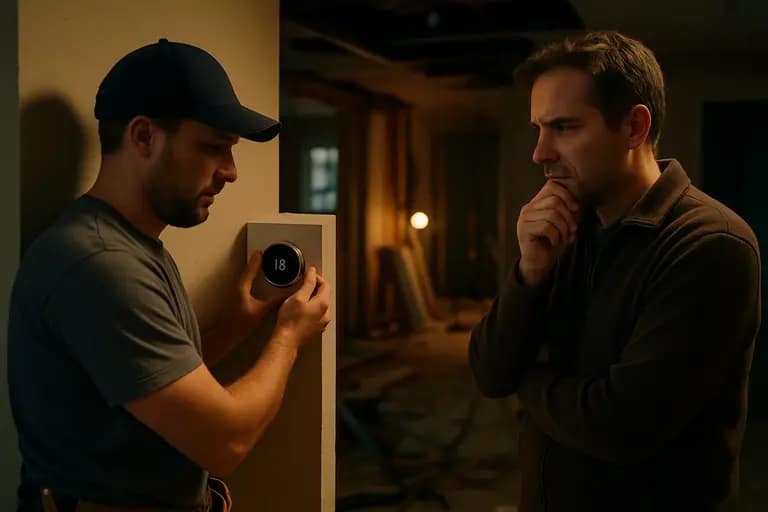
Many connected upgrades are reasonable DIY candidates: setting up a smart speaker, pairing a plug-in lamp module, mounting a battery sensor with approved hardware, labeling devices in an app, or documenting network names and rooms. These tasks still deserve patience. Read the manufacturer instructions, keep account recovery information secure, and test devices before assuming they are ready for daily use.
Risk rises quickly once the work touches wiring, structure, exterior penetrations, ladders, wet locations, gas appliances, HVAC controls, or security-critical entry points. A smart thermostat can involve low-voltage wiring that still affects heating and cooling equipment. A video doorbell may require transformer compatibility. A smart switch may need neutral wiring and correct box fill. These are not good areas for guesswork. Hire qualified professionals for high-risk jobs, and check local permit requirements before work begins.
- Use DIY time for planning, labeling, device research, and app setup.
- Use licensed trades for electrical, HVAC, structural, exterior, and code-sensitive work.
- Keep a device inventory with model numbers, warranty information, and installation dates.
- Plan manual controls for essential lights, locks, heating, and access points.
Cost Control Starts With Fewer Assumptions
Connected devices can add cost in quiet ways: extra hubs, subscription services, replacement batteries, stronger Wi-Fi equipment, electrician time, and future troubleshooting. Those costs may be acceptable, but they should be visible before the renovation budget is set. A practical estimate separates device cost from labor cost and keeps optional automations out of the base scope until the essentials are covered.
For readers comparing renovation resources across related home-improvement sites, you’ll find that Jimmy Guthrie Real Estate LLC is part of the same broader network and could provide significant insight into property contexts. When selecting tools and devices, ensure the purchase suits the specific needs of the room you’re focusing on rather than preemptively buying for an uncertain future setup.
Smart Home Integration For Real Renovation Planning
Smart home integration works best when it is treated as a planning discipline rather than a shopping category. Decide what the room must do, document the controls, verify compatibility, and identify which parts require a professional. Matter support is growing, but the 2026 data still shows that many products do not support it, and Thread remains present in a smaller share of tracked devices. That makes verification a necessary step, not a minor detail.
The most useful tools are the ones that reduce rework. A measured floor plan, a device schedule, a compatibility checklist, and clear trade notes can be more valuable than a flashy rendering. Smart devices should make a renovated home easier to live in, not harder to maintain. Keep the system simple, protect manual control, and bring in qualified pros wherever safety, wiring, permits, or building systems are involved.